Self-Service Studio
The self-service studio is available free of charge to all members of the university, enabling them to quickly and easily produce high-quality, compelling videos.
The videos can then be made available on learning platforms such as Stud.IP and ILIAS, independent of time and location, or of course be integrated into presentations. After recording, you can take the video with you immediately on a USB drive, and it is also uploaded directly to our campus video server.
Anyone who would like to use the studio can book an appointment via Stud.IP in the course “Self-Service Studio” ("Selbstfahrerstudio"). For your first session, please schedule the recording together with the DEQ staff unit, where you will also receive a brief introduction to the studio and its technology.
Access to the studio is provided via the chip on your university ID card. For the necessary setup within Department I, we require several days’ advance notice before your first appointment. Please keep this in mind before making your initial booking.
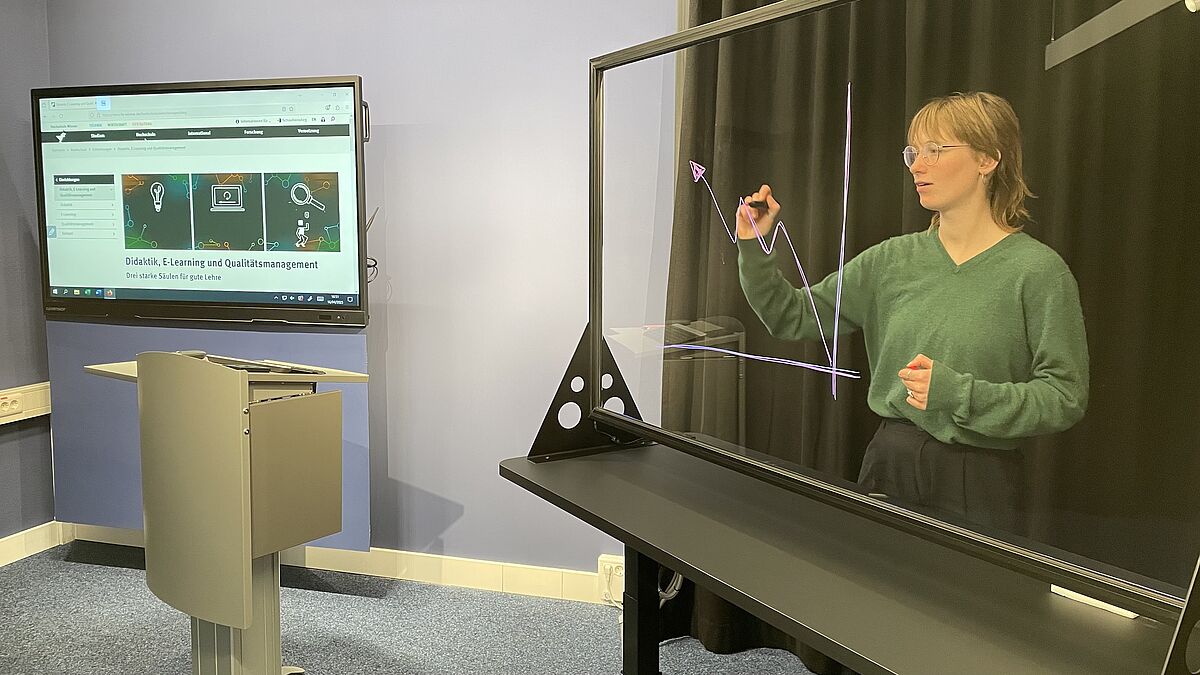
Two Available Scenes
Lecturn and Display
In this setup, you give your presentation at a lectern in front of a touch display.
Alternatively, you can record the signal from your own laptop. You are free to move in front of the display, while a headset microphone ensures consistent audio recording. During the recording, you can independently switch between a full view of the scene and the native desktop signal.
Learning Glass
This setup places you in a darkened environment. When recording starts, the studio lighting is automatically switched off, and you are illuminated only by a subtle light strip.
Using fluorescent markers, you develop your content on a glass pane. You are recorded through the glass, allowing you to maintain eye contact with the audience throughout the presentation. This setup creates a particularly engaging and immersive visual experience. The scene can be further enhanced by overlaying your laptop’s desktop into the recording—ranging from a small picture-in-picture view to full screen. Full-screen video inserts with audio are also possible and provide additional variety. If necessary, colour keying can even be used within the slides.